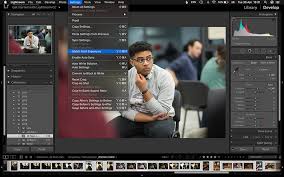
Eps 1: Lightroom Classic Tips
10 Lightroom Tips Every Photographer Should Know
Inside the top tool, there is a little thing called the Angle Tool.
Yes, its true: Lightroom CC Classic allows you to draw perfectly straight lines.
Host

Carter Sutton
Podcast Content
One of the most important things to keep in mind when using Lightroom Classic is to always shoot in RAW format. This will give you the most flexibility when it comes to editing your photos, allowing you to make adjustments to exposure, white balance, and other settings without losing quality. If you're shooting in JPEG, you're limiting your ability to make these adjustments, so be sure to switch to RAW if you haven't already.
Once you've imported your photos into Lightroom Classic, the first step is to organize them into folders and collections. This will make it easier to find and work with your photos later on. You can create collections based on themes, locations, or any other criteria that make sense for your workflow. You can also use keywords and star ratings to help you quickly identify your best shots.
When it comes to editing your photos, one of the most powerful tools in Lightroom Classic is the Develop module. Here, you can make adjustments to exposure, contrast, color, and more. One of the best ways to enhance your photos is to use the Adjustment Brush tool, which allows you to selectively apply edits to specific areas of your image. This can be especially helpful for adding detail to shadows, enhancing colors, or making other targeted adjustments.
Another great feature in Lightroom Classic is the ability to create presets. Presets are essentially saved sets of editing adjustments that you can apply to your photos with just a click. There are countless presets available online, or you can create your own to use on your photos. This can be a huge time-saver when editing a large batch of photos, as you can quickly apply the same edits to multiple images.
If you're looking to take your editing skills to the next level, consider learning how to use the graduated filter and radial filter tools in Lightroom Classic. These tools allow you to make adjustments that apply in a gradual or radial pattern, which can be great for adding drama to skies, enhancing sunsets, or spotlighting specific areas of your image. With a bit of practice, you can use these tools to create stunning, professional-looking edits.
Finally, don't forget to experiment and have fun with your editing in Lightroom Classic. There are countless ways to edit and enhance your photos, so don't be afraid to try new techniques and see what works best for your style. Whether you're a hobbyist looking to improve your photos or a professional photographer wanting to take your work to the next level, Lightroom Classic has the tools you need to make your images shine.
We hope you've enjoyed our tips for Lightroom Classic and that you're feeling inspired to get out there and start editing your photos. Be sure to tune in next time for more tips and tricks to help you make the most of your photography. Thanks for listening!